
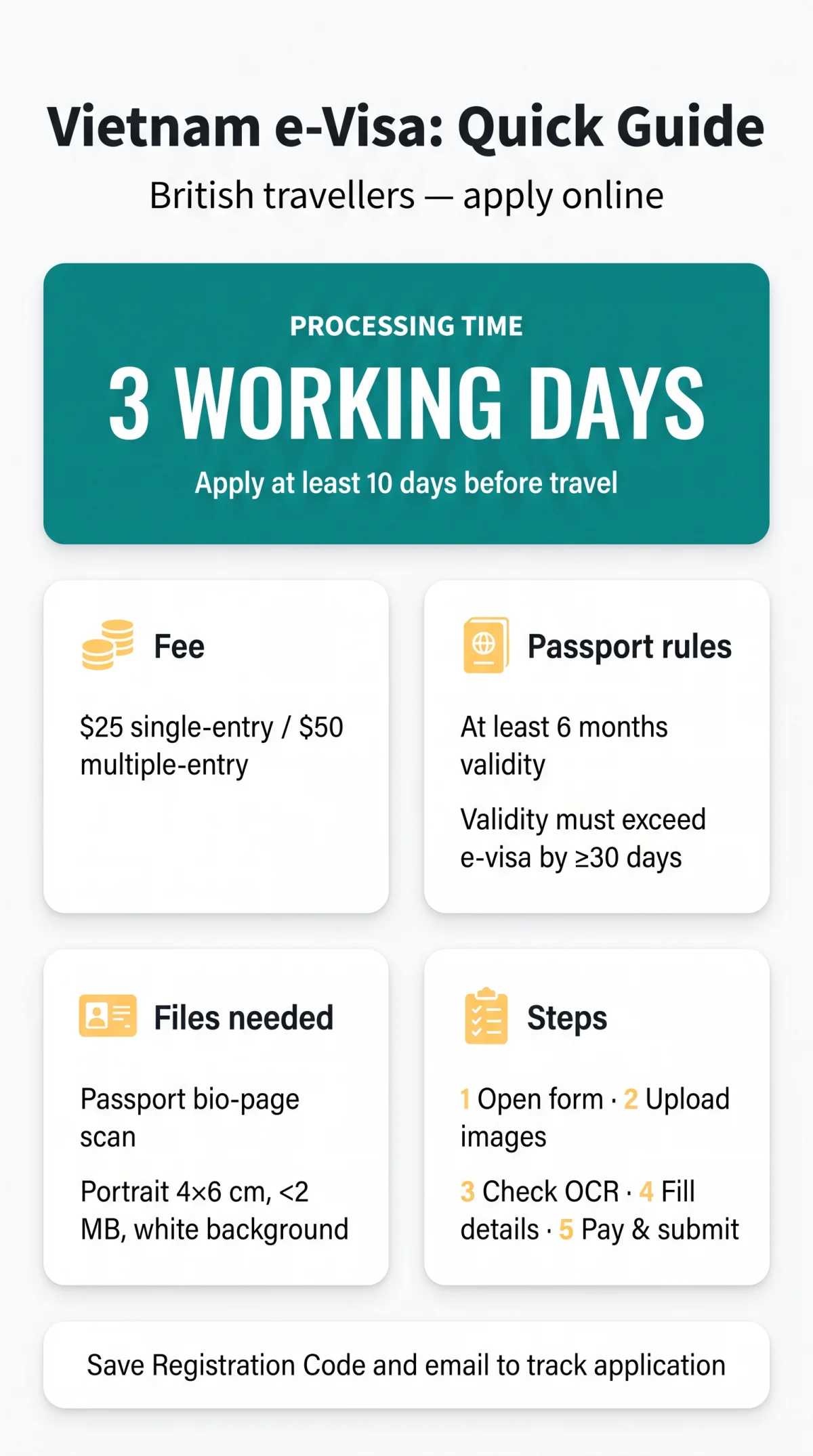
To apply for a Vietnam e-visa, you submit an online application on the government portal evisa.gov.vn with a scan of your passport bio-page and a portrait photo. You then pay the fee: $25 for single-entry or $50 for multiple-entry. Processing takes three working days, after which you download and print your visa.
This guide walks British travellers through the whole procedure, from browser setup and photo specs to payment with a UK card and printing the final document. We’re an independent travel-information site, not a government page, and we don’t charge fees or file applications on your behalf. Check your details and current rules on the official portal before you travel.
Vietnam E-Visa Rules for British Citizens
As a UK passport holder, you can apply for an e-visa for a stay of up to 90 days, choosing single-entry or multiple-entry, which suits multi-country Indochina trips. If you are not applying for an e-visa, check Vietnam’s current visa-exemption rules for your nationality before you book.
Your passport needs at least 6 months validity from your declared entry date, and its validity must exceed the e-visa validity by at least 30 days. You’ll also need one clean page for border stamps and a fully readable machine-readable zone (the two lines at the bottom of the photo page).
- You must be physically outside Vietnam when you apply.
- People with entry bans under Article 21 of the immigration law can’t use the e-visa route; official guest delegations, staff of diplomatic missions, consular offices, UN and intergovernmental representative offices, and people visiting or working with them, apply through the Ministry of Foreign Affairs.
Costs, Processing Times and the Right Portal
The government fee is $25 or $50, and it’s non-refundable in every case: rejection, user error, or entry denied. The statutory processing time is 3 working days (counted in Vietnam’s UTC+7) from a complete application and settled fee.
| Visa type | Government fee | Processing time | Refund policy |
|---|---|---|---|
| Single-entry, up to 90 days | $25 | 3 working days | Non-refundable |
| Multiple-entry, up to 90 days | $50 | 3 working days | Non-refundable |
Apply at least 10 days before your intended entry date as a safe buffer: Vietnamese public holidays stretch real turnaround. You can apply up to 1 year in advance, so there’s no reason to cut it fine.
Submit only on the government portal at evisa.gov.vn (also reachable via thithucdientu.gov.vn, following the migration from evisa.xuatnhapcanh.gov.vn on 11 November 2024). Intermediary agencies charge a service fee on top of the same government fee for filing the same form, and a scam is a site that pretends to be the government portal.
Preparation: Documents and Browser Setup
Before you open the form, have two JPG files ready: a 4×6 cm portrait photo under 2 MB and a full scan of your passport bio-page. Keep a UK-issued Visa or Mastercard with international payments and 3D Secure enabled within reach.

Portrait Photo and Passport Bio-Page Requirements
The portrait photo follows standard biometric rules: plain white background, frontal view, no glasses, no hat, formal attire, and taken within the last 6 months. The scan of the bio-page must show the whole page, uncropped and sharp, with the ICAO lines fully legible.
Uploads fail most often over photos without a plain white background, with shadows, glasses or a hat, or in the wrong dimensions, and over cropped passport scans. A passport photo booth or a photo app with a white-background mode solves this in minutes.
Browser Configuration Before Starting
If the portal misbehaves, check your internet connection and try again; if the error persists, use the support form at evisa.gov.vn/support.
How to Apply for Vietnam Evisa Step by Step
The form flow is simple once your files are ready. You open the application, accept the terms, upload your two images, check the data the system auto-extracts, then fill in the remaining sections by hand.
Open the form
Open the form on evisa.gov.vn and accept the application terms.
Upload your images
Upload your portrait photo and passport bio-page scan.
Check the auto-parsed data
Check the OCR auto-parsed data against your passport.
Complete the remaining sections
Fill in the remaining personal and travel sections.
Review, pay and submit
Review everything, then pay and submit.
Securing Your Registration Code and Draft
The portal issues your Registration Code once you have completed and submitted the application form.
Write the code down together with the email address you used: they are what you need to check the status and download the visa.
Personal Details and the UK Passport Name Trap
Transcribe your name from the ICAO lines, the two bottom lines of your passport, not from the visual header. Enter your full name in uppercase exactly as it appears there, filling the surname, middle name and given name fields.
| UK passport shows | Correct e-visa entry | Wrong entry |
|---|---|---|
| Your name as it appears in the ICAO lines | Surname, middle name and given name entered in the matching fields, in uppercase | Middle name left out |
If the issued e-visa drops a middle name, the data no longer matches your passport and you can be refused entry at the border. Other personal fields deserve the same care: check that every date you enter matches the date printed in your passport and on your ticket, and type the passport number with zero and letter O distinguished.
Travel Details and Choosing from the Designated Checkpoints
You pick your entry and exit points from the government’s designated list: 27 land border gates, 15 airports and 39 seaports. Key airports include Noi Bai (Hanoi), Tan Son Nhat (Ho Chi Minh City), Da Nang, Cam Ranh, and Phu Quoc. The list grows as new gates are added, so always use the portal’s own version.
Two rules govern ports and dates. You must enter and exit through gates on the government’s list, and the gate you declared appears on the visa, so keep it aligned with your ticket, though you may exit at any other checkpoint on the list. Your e-visa is valid for the dates it shows, up to 90 days, and you can leave at any time before it expires, so declare dates that cover your whole trip.
You’ll also give your first address in Vietnam with the hotel name, your contact phone number and email, your trip history for the past year with entry and exit dates, any sponsoring organisation, and a declaration of any past violations of Vietnamese law.
Pre-Payment Review: Catching Fatal Errors
The Review Application screen is your last free edit. Once you pay, the form locks and you can’t change anything yourself. So put your passport on the desk next to the screen and run this five-point check before clicking Payment:
- Full name matches the MRZ, including every middle name.
- Passport number is correct, with no spaces and 0 distinct from O.
- Every date you enter matches the date printed in your passport and on your ticket.
- Declared entry port matches your actual flight ticket.
- Uploaded photo preview is sharp and correctly oriented.
The fourth point catches more people than you’d think. Check the declared entry gate against your ticket: a mismatch between the visa and your actual arrival point can stop you at the border.
Paying the E-Visa Fee with a UK Card
Pay with a UK Visa or Mastercard that accepts international transactions, and be ready for the 3D Secure check in your banking app. The fee is charged in USD, so a GBP card may carry currency conversion charges from your bank.
You can pay with an international debit or credit card: Visa, MasterCard or JCB are listed at the gateway. Make sure international payments are enabled on the card, because a card that is not cleared for international transactions will be declined.
3D Secure Verification at Checkout
Checkout runs in seven steps:
Check the payment information
Agree and proceed to payment
Select the payment method
Enter your card details
Confirm the payment terms and conditions
Verify the OTP
Receive confirmation that the payment has been processed
Payment Failures and FX Fees: What to Do
If the card is declined, check that the card details are correct and that the card is cleared for international payments, then try again later or with another card. If your account was debited but no code appeared, contact the portal’s support straight away to verify the transaction, and check the application status before paying again.
Whichever card you use, keep the payment confirmation in case you need to trace the transaction with the gateway’s support.
Tracking Your Application and Printing the Visa
Track your application with three identifiers: your Registration Code, the email you registered with, and your date of birth in DD/MM/YYYY, plus the security captcha. You’ll find the search function at evisa.gov.vn/e-visa/search.
| Status | What it means | What you do |
|---|---|---|
| Processing | Application under review | Wait; check again in a few days |
| Amended / additional information required | Immigration needs a fix | Correct the indicated fields or files |
| Granted | Approved | Download the PDF and print it |
| Denied | Rejected | Fee is lost; reapply if you wish |
Once granted, download the e-visa PDF and print at least two A4 copies. Some checkpoints require a printed copy, so carry the printout as well as the file on your phone. At the immigration window, check that you received the Temporary Residence Certificate stamp, and remember your hotel operator registers your stay with the police as part of the temporary residence declaration.
Fixing Mistakes: Amendments vs Re-Applying
Issues that immigration flags for completion can be corrected in the indicated fields; critical personal-data errors cannot. Here’s the line between the two:
| Fixable via amendment request | Requires a new paid application |
|---|---|
| Re-uploading a clearer passport scan | Wrong date of birth |
| Correcting your address in Vietnam | Omitted middle name |
| Any field named in the status notification | Passport number typo |
When the status reads “Amended / additional information required”, you may only change the fields the notification names. Fatal errors mean a completely new application and a second fee of $25 or $50, because the first one is forfeited. Wrong personal details risk denial of entry or expulsion, so fix them before you fly.
Applying for Children and Family Members
Every British child holding their own passport needs a separate e-visa application and the full fee, regardless of age. There’s no group application function, so you repeat the procedure for each family member, and each gets an individual Registration Code.
- Apply for each child with their own UK passport individually.
- Remember that children under 14 are not admitted unless accompanied by a parent, guardian or authorised person.
Travelling with kids? File the adults first while they’re entertained, then work through the children one by one with the same documents prepared for each.
Common Mistakes That Get Applications Rejected
Rejection usually comes down to a handful of repeat offenders, each with a cheap fix:
| Mistake | Consequence | Prevention |
|---|---|---|
| Cropped bio-page or unreadable MRZ | Upload rejected | Scan full page, all four corners |
| Glasses worn in portrait photo | Common biometric rejection | Remove glasses before the photo |
| Declared gate differs from your ticket | Problems at the border | Match the declared gate to your ticket |
| Middle name omitted | Denial of entry at the border | Copy the full name from the ICAO line |
The fee is non-refundable, so each of these costs real money if it slips through. That’s why the pre-payment review is worth doing slowly, with your passport open beside the keyboard.
Frequently Asked Questions (FAQ)
How long does it take to process a Vietnam e-visa for UK citizens?
The statutory time is three working days counted in Vietnam’s UTC+7, starting from a complete application and settled fee. Timezone differences and public holidays stretch this, so apply at least 10 days before your intended entry date. You can apply up to a year in advance.
Where is the official Vietnam evisa application portal?
The government portal is evisa.gov.vn, also reachable via thithucdientu.gov.vn. It replaced the older evisa.xuatnhapcanh.gov.vn address on 11 November 2024. Commercial agencies charge markups for filing the same application.
Can I enter Vietnam earlier than the date granted on my e-visa?
Your e-visa is valid for the period granted, up to 90 days, and you may exit at any time before it expires. Declare entry and exit dates that cover your actual travel, and check the approved dates on the PDF before you fly.
What should I do if my payment goes through but I receive no confirmation code?
Contact the portal’s support immediately to verify the transaction, and check your status with the Registration Code, registered email and date of birth. Only pay again once you have confirmed that the first payment failed, and keep your bank statement for the support request.
Is the Vietnam e-visa fee refundable if my application is rejected?
No. The $25 single-entry and $50 multiple-entry fees are non-refundable in all cases, including rejection, user error, and denied entry. Treat the fee as spent the moment you click pay.
Do I need to include my middle name when I apply for a Vietnam evisa?
Yes. Copy every part of your name from the ICAO line in uppercase, including any middle name, into the matching fields of the form.
Can I change my port of entry after the e-visa is issued?
Your declared entry gate is printed on the visa, so keep it aligned with your ticket; entry and exit are only possible through gates on the government’s designated list. Your exit gate is flexible: you are not required to leave through the gate where you entered.
Do British children need their own Vietnam e-visa?
Yes. Each child with their own passport needs a separate application, their own Registration Code and the full fee, because there is no group application.
Sources and Further Reading
- evisa.gov.vn – the government portal where you create and submit the application.
- evisa.gov.vn FAQ – official answers on validity, timing, and photo rules.
- evisa.gov.vn instruction page – step-by-step guidance from the Immigration Department.
- immigration.gov.vn – the national portal on immigration matters.
- business.gov.uk Vietnam market guide – UK government trade and business context for Vietnam.
Rules can change, so confirm current requirements on the official portal before you apply.